Kate.JS: Learn Programming

Kate.JS is a programming teaching tool, the target audience is newcomers to programming concepts. The tool teaches JavaScript specifically, but tries to keep language terms agnostic. The entire tool was written in JavaScript itself.
Design
The website provides all the tools necessary to learn, where the learner only needs to arrive at the website with a modern browser and nothing else. A complete “Integrated Development Environment (IDE)” is presented, with the following layout:
- Instruction pane, outlining the lesson and material in the lesson.
- Objectives, which state the goal or goals that must be complete to move on.
- Code quadrant, where code can be written by the learner.
- Control and output quadrant, where controls for the entire site can be accessed as well as the output of the code the learner has written.
Each lesson’s philosophy is centered around a single learning concept; such as execution flow, variables, or loops. The learner must demonstrate their understanding of the concept by writing code to solve a unique problem directly related to the concept being taught. Lessons are structured into chapters, and each chapter has a unique “Chapter Boss”. Chapter Boss lessons don’t contain any new concepts, but test all the concepts learned in that chapter at once by solving an assortment of classic programming problems. For example, after learning loops, the learner must write out the Fibonacci sequence using loops.
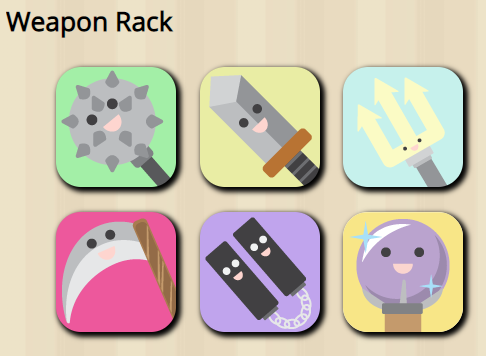
Progression is tracked locally in the learner’s browser, however the learner can also create an account to permanently track their progress. Only an e-mail address and password are captured as to not collect any further personal information. Completing a chapter rewards the learner with a collectible cartoon weapon that embodies the chapter boss they defeated. The learner can view each weapon they collected, which also provides them a review of all the concepts learned in that chapter.
Inspiration
The inspiration for Kate.JS was students who were interested in learning real life software development languages but wanted a lightweight introduction to them where they could play around and get gratification from writing and executing real code.
Technical Implementation
As mentioned previously, Kate.JS is written entirely in JavaScript (and the supporting HTML and CSS structural components). The following frameworks were used:
- Vue.JS to provide the single page web app behavior, and loading components.
- ace editor provided the code editor, including syntax highlighting with support for custom syntax.
- esprima for JavaScript code parsing, to break apart the learner’s code and inject safety and evaluation code.
- toastr for toast notifications
- tooltipster for tooltip support
- jQuery to speed up development
- Google reCAPTCHA for registration and login protection
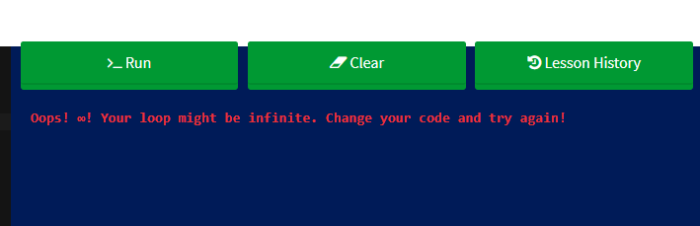
When the learner goes to run their code, the code is first parsed to inject code to prevent obvious cross-site scripting attacks as well as infinite loop protection. Once evaluated, the output is shown to the user. Additional helper functions are made available to the learner’s namespace to facilitate learning, such as as “print” function.
After each evaluation, the learner’s code and output are evaluated for correctness in passing the specific lesson. The evaluation attempts to be as flexible as possible allowing multiple paths to solve a problem, however the solution must ultimately implement the lesson objectives. For example, if a lesson called for using a loop to print a series of numbers, simply printing those numbers with hard coded values is not sufficient.
Lessons are built in modules, allowing the lesson payload, evaluation criteria, and sample code to be bundled into lesson packages. These packages are injected into chapters, which are compiled into a lesson plan. Weapons awarded are layered into the chapter bundle metadata.
Custom Vue.JS components were built to create easy to assemble lesson texts. For example, the ace editor was turned into a component to allow it to be trivially added several times into a lesson. Controls such as “copy code into editor” was a parameter to the components.